Google's Conversational Photo Editor Lets You Edit Photos by Talking or Typing

Google's Conversational Photo Editor Lets You Edit Photos by Talking or Typing
Google Photos now offers Ask Photos, a conversational editor that accepts voice or text requests to apply edits, debuted on Pixel 10 and rolling out to supported Android devices.
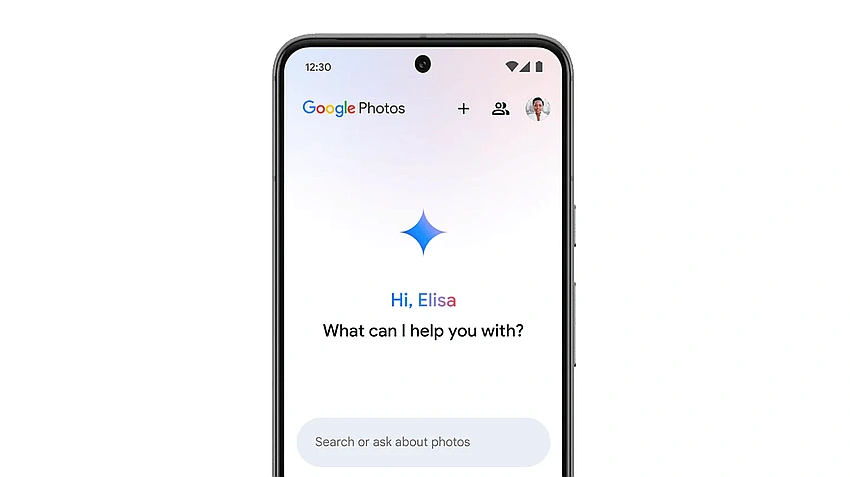
Google Photos has introduced Ask Photos, a conversational editing feature that lets users type or speak the visual edits they want to see in their photos. It debuted on the Pixel 10 phones and is now available on Android devices that can support it.
The tool lets you type or speak out the visual edits you want to see in your photos without fumbling with menus and sliders. Most people have no idea how powerful the software on their phones already is, and by being able to access all the editing tools that are available and use them to execute your desired task, this feature delivers results in a nearly frictionless way and helps you better understand what your smartphone is capable of.
Features:
- Conversational photo finding: Search for images based on context. For example, a user can ask to see the best photos from each national park visited. Another example is asking for all the cities visited last year.
- Conversational editing: Describe desired changes to edit photos. Users can ask to improve a photo's look, make it brighter and more colorful, remove distractions, or enhance backgrounds.
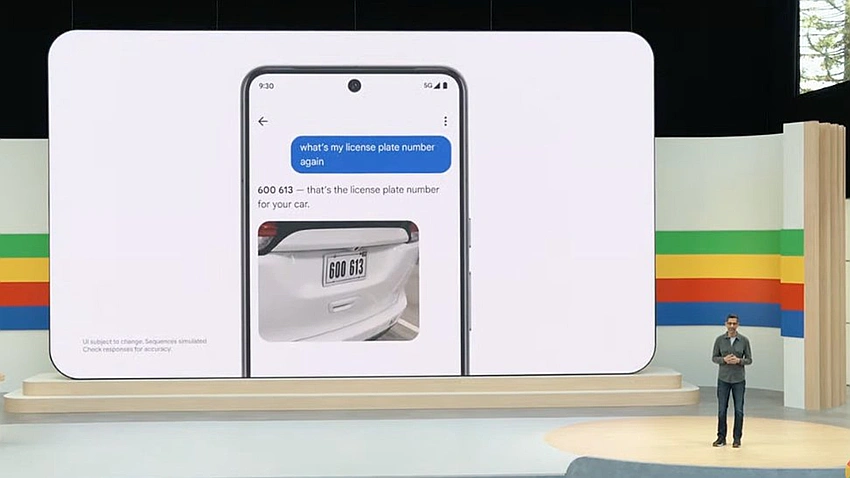
- Information recall: Ask Photos helps recall information within a gallery and can read text in photos. A user could find a picture of a license plate number by asking.
- Automated organization: The AI can group similar photos into "Photo Stacks" and sort documents like screenshots and receipts into dedicated albums.
- Creative assistance: Users can get help curating the best pictures from a trip or writing a caption for a photo.
- Multimodal capabilities: Gemini's AI capabilities allow it to interpret the contents of each picture.
How to Use:
- Open the Google Photos app on a mobile device.
- Tap the "Ask" button at the bottom of the screen.
- Type a question or request into the text box. On iOS and Android, use voice by tapping the microphone icon.
- Wait for Ask Photos to respond. A chat window will display tasks like "Thinking," "Searching," or "Reviewing".
- Refine the search with follow-up questions.
Very few AI capabilities have felt like practical, useful features for everyday life, something the reviewer could even imagine their parents using,until now. The new Ask Photos tool stands out in that regard and promises a more natural way to interact with images. The feature arrives amid a broader push in smartphones toward AI-driven tools.
Apple, for instance, has pushed features under its Apple Intelligence umbrella, including Image Playground, which lets users create images from scratch, and Writing Tools that can rewrite and summarize text on the iPhone 17 running iOS 26. Google offers similar AI-enhanced capabilities on Android devices, with the Pixel 10 lineup also enabling a version of the user’s voice to be generated for real-time language translations on calls.
The Ask Photos feature not only delivers the requested edits more quickly and with less fiddling, but also helps users understand what their smartphone is capable of, signaling a potential leap in how we interact with computers.
This is part of a broader trend toward more natural, spoken interactions with devices.We're seeing a rapid pace of smartphone AI features, while highlighting this as one of the rare examples that may actually change everyday usage.
