NPU Cards vs. GPUs: Which is Best for Smart AI Cameras

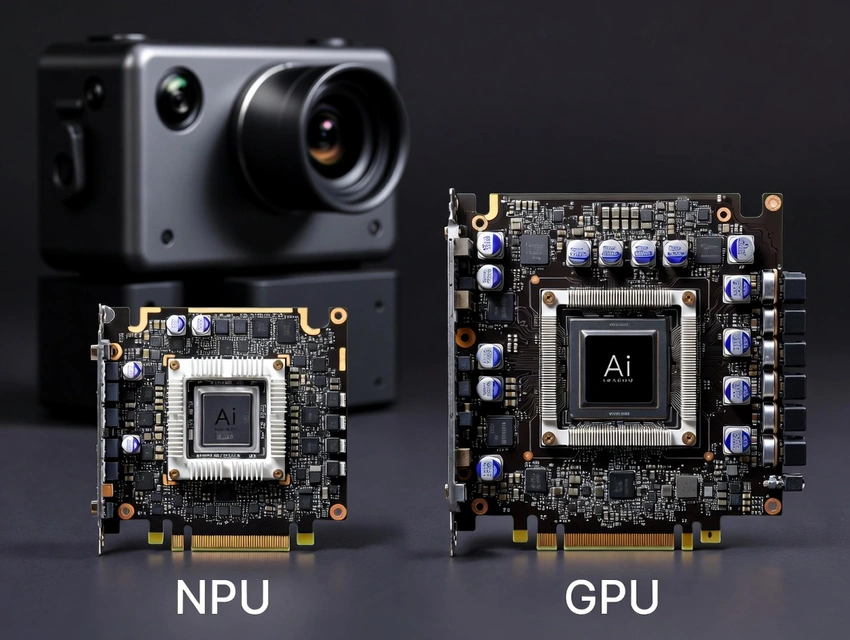
NPU Cards vs. GPUs: Which is Best for Smart AI Cameras
Artificial intelligence (AI) has transformed the way we capture, interpret, and act on visual data. From autonomous vehicles and robotics to video surveillance and retail analytics, the demand for real-time vision processing has never been greater. Central to this evolution are specialized hardware architectures designed to accelerate AI workloads efficiently and effectively.
In recent years, the debate around NPU Cards vs. GPUs has intensified, especially in the context of smart AI camera deployments. These devices require hardware capable of massive parallel processing while keeping power consumption and latency low. To make informed decisions about edge AI solutions, it's critical to understand how each technology performs in real-world AI vision applications.
At the heart of this conversation is the NPU card 🔗, a purpose-built accelerator engineered for edge AI performance. In this comparison, we’ll explore not just raw benchmarks, but practical strengths, limitations, and use-cases of NPUs and GPUs for AI camera systems.
Understanding the Basics: What Are NPU Cards and GPUs?
Before we dive into comparisons, let's clarify what makes an NPU card different from a GPU.
What is an NPU Card?
An NPU (Neural Processing Unit) card is a hardware accelerator designed specifically for AI workloads, particularly neural network inference. These cards excel at:
- Low-power consumption
- Real-time AI processing
- Highly parallel operations
- Efficient edge deployment
NPUs apply specialized circuitry optimized for the math used in neural networks. As a result, they often outperform general-purpose chips like CPUs or even GPUs when evaluating AI inference tasks.
For example, the Hailo-8 Century PCIe AI accelerator card is engineered for high throughput and low power overhead traits that make it well-suited to embedded vision applications that demand efficiency without sacrificing performance.
What is a GPU?
GPUs (Graphics Processing Units) originated as graphics accelerators, designed to handle large amounts of parallel tasks such as rendering polygons in games. Over time, their parallel architecture made GPUs ideal for deep learning and AI acceleration. NVIDIA, AMD, and Intel all produce powerful GPUs capable of training and inference.
GPUs are widely used for:
- AI model training
- High-performance computing
- Parallel workloads requiring a large number of cores
However, GPUs tend to consume more power and may not be the most cost-effective solution for edge devices like on-camera AI processing.
Use Cases: Smart AI Cameras and Edge AI Vision
Smart AI camera 🔗 are revolutionizing industries by embedding computer vision directly into devices that detect, interpret, and respond to visual information autonomously. Whether for security, retail, industrial automation, or autonomous navigation, these systems require hardware suitable for real-time processing.
One example of AI vision in action is described in the Hailo blog, which explores how intelligent cameras transition from simple vision systems to analytical tools capable of generating insights. This article highlights real-world deployments and the potential for these systems to unlock actionable data from visual inputs.
AI cameras can perform complex tasks like:
- Object detection and classification
- Facial recognition
- Motion tracking
- Behavioral analytics
- Anomaly detection
Each of these tasks demands a balance of power, speed, flexibility, and cost and this is where the choice between NPUs and GPUs becomes critical.
Performance Comparison: NPU Cards vs. GPUs
1. Inference Speed and Throughput
- GPU Performance: GPUs deliver high performance due to thousands of cores optimized for parallel operations. They are excellent for handling large neural network workloads and model training. NVIDIA’s CUDA ecosystem, for example, is a standard in the industry for deep learning tasks and high-performance computation.
- NPU Performance: NPUs are purpose-built for inference, and their architecture is optimized for running pre-trained models in real time. For edge vision applications, NPUs often outperform GPUs due to lower latency and task-specific design.
Verdict: For inference-only applications like live image analysis on cameras, NPU cards typically offer better real-time performance per watt. GPUs may excel in raw processing power but not in power efficiency for edge deployment.
2. Power Efficiency
- GPUs: Tend to consume more power. High-end GPUs can require significant cooling and energy, making them less ideal for edge deployments or devices where power is constrained.
- NPUs: Specifically optimized for low power consumption. Because they focus only on neural network computations, NPUs perform more efficiently per watt, which is crucial for on-device AI processing.
A study by IEEE Spectrum highlights the importance of energy efficiency in edge AI, noting that specialized accelerators like NPUs can significantly reduce power demands compared to general-purpose GPUs.
3. Flexibility and Model Support
- GPUs: Highly flexible, supporting a wide variety of models and frameworks. This makes them ideal for research, development, and applications requiring frequent model updates or training tasks.
- NPUs: Primarily optimized for inference. While modern NPUs support many popular AI frameworks and models, they are not typically designed for model training.
For example, GPU providers often offer rich ecosystems (like NVIDIA’s TensorRT and CUDA libraries) that provide broad support across AI research and deployment.
4. Cost Considerations
- GPUs: Can be expensive, especially high-end units designed for AI workloads. Not only do GPUs have higher upfront costs, but their power requirements can increase operating expenses.
- NPUs: More cost-effective for specific use cases like inference on AI cameras. The hardware can deliver high performance without the same power and cooling infrastructure GPUs may need.
According to a TechRepublic analysis, the total cost of ownership often favors specialized accelerators like NPUs for deployed AI systems that don’t require training on the device.
5. Scalability
- GPUs: Ideal for scaling in data centers where multiple GPUs work in parallel to handle large workloads.
- NPUs: Designed for scalable deployment at the edge, where many devices operate independently in distributed environments.
For large networks of smart cameras and IoT devices, NPUs offer a scalable solution where each unit can process data locally without overwhelming centralized servers.
Real-World Application Scenarios
Let’s explore how each technology stacks up in real-world scenarios.
Scenario 1: Retail Analytics with Smart Cameras
In a retail environment, cameras analyze customer behavior in real time to determine foot traffic, heat maps, queue lengths, and product engagement levels.
- GPU Implementation: Powerful but potentially overkill. GPUs may process multiple high-resolution streams simultaneously, but the energy cost and over-provisioning may not justify the performance gains.
- NPU Implementation: Provides a perfect balance between performance, cost, and power. The npu card enables real-time analytics within the camera without requiring constant cloud connectivity, reducing latency and improving privacy.
Scenario 2: Autonomous Vehicles
Self-driving cars rely on fast vision processing to interpret their environment.
- GPUs: Historically the standard for autonomous systems due to their flexible architecture and compute capacity.
- NPUs: Emerging as a complementary option for dedicated perception tasks due to their efficiency.
Companies like Waymo and Tesla leverage GPUs heavily in their training and simulation pipelines, though edge NPUs are increasingly considered for inference tasks within the vehicle itself.
Scenario 3: Industrial Automation
Factories may deploy smart cameras to monitor production lines, detect defects, and ensure safety.
- GPU Strategy: Useful when processing large quantities of data feeding back to a central server.
- NPU Strategy: Allows cameras to process data locally and trigger actions immediately — crucial in time-sensitive environments.
NPUs enable such cameras to run AI models at the source, minimizing latency and reducing the need for high-bandwidth network connections.
Scenario 4: Smart Cities and Surveillance
Smart cities incorporate AI cameras for traffic monitoring, crowd detection, and public safety.
- GPUs: Can form part of a centralized analytics system but may face bottlenecks as data scales.
- NPUs: Support distributed, intelligent nodes capable of processing and filtering data locally before sending insights upstream.
The smart ai camera ecosystem benefits from distributed intelligence, where each camera contributes computed insights rather than raw footage.
Developer and Deployment Considerations
1. Ease of Integration
- GPUs: Extensive tooling and established workflows make GPUs accessible for developers.
- NPUs: May have a steeper learning curve initially, but modern SDKs and frameworks increasingly support NPU deployment.
For example, NVIDIA’s ecosystem includes powerful debugging tools and model optimizers, while NPU vendors like Hailo provide compilers and APIs designed for edge deployment.
2. Framework Compatibility
GPUs support TensorFlow, PyTorch, and other major frameworks with mature tooling.
NPUs support many mainstream networks but usually require conversion or optimization steps to run efficiently on NPU hardware. As edge AI continues to grow, more tooling is emerging to simplify this process.
3. Maintenance and Updates
NPUs often require minimal ongoing maintenance after initial deployment due to their stable, focused workloads. GPUs, however, may need more updates, driver management, and cooling maintenance.
Security and Privacy Implications
Smart AI cameras often operate in sensitive environments. Processing data on the device (edge processing) rather than streaming to centralized servers offers clear privacy benefits.
- NPUs: Enable edge processing, so sensitive data never leaves the camera.
- GPUs: Typically require more centralized compute, which may entail transmitting data across networks.
This aligns with data protection regulations like the General Data Protection Regulation 🔗 (GDPR), which places strict rules on video data transmission and storage.
Environmental Impact
Energy consumption directly affects environmental sustainability:
- GPU Deployments: Higher power usage means a larger carbon footprint.
- NPU Deployments: Lower energy demands per unit translate to greener deployments.
As sustainability becomes a priority for enterprises and governments, efficient AI hardware gains importance.
Future Trends: Where Is the Market Headed?
The AI hardware landscape is evolving rapidly:
- Edge AI is growing as devices become smarter and more interconnected.
- Specialized accelerators like NPUs, FPGAs, and ASICs are gaining traction for specific tasks, particularly inference.
According to analyst reports from Gartner and IDC, AI inferencing at the edge will constitute a significant portion of AI workloads in the next decade, reinforcing the need for optimized hardware solutions.
Hybrid systems where models are trained on GPUs in data centers but deployed on NPUs at the edge are becoming mainstream. This blend combines the strengths of each architecture.
Which is Best for Smart AI Cameras?
In the debate of NPU Cards vs. GPUs, there is no one-size-fits-all answer. The best solution depends on the application, performance requirements, deployment model, and cost considerations. However, when specifically looking at smart ai camera deployments, the advantages of NPU cards shine:
✔ Superior power efficiency
✔ Low latency for real-time inference
✔ Scalability for distributed edge networks
✔ Lower total cost of ownership
✔ Enhanced privacy with on-device processing
GPUs remain unparalleled for training complex AI models and flexible development, but for edge vision systems and AI camera deployments, NPUs particularly specialized options like the npu card often provide the most practical and efficient choice.
